Meta FAIR Labs
For two years at Meta FAIR Labs (2023-2025), I contributed to cutting-edge embodied AI research as a 3D Asset Pipeline Engineer. My work centered on HSSD-Hab, a massive dataset of 18,000+ curated 3D objects and 211 structured scenes that powers Habitat 3 - Meta's open-source simulation platform for training AI agents in photorealistic 3D environments.
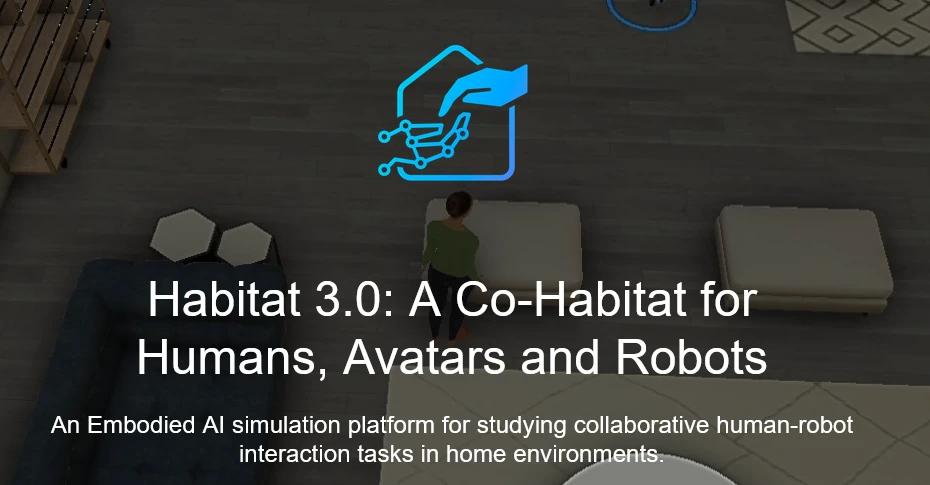
This work culminated in my co-authorship of PARTNR, a groundbreaking benchmark published at NeurIPS 2024 that reveals critical gaps in AI's ability to collaborate with humans on household tasks.
Published Research: PARTNR Benchmark
PARTNR (Planning And Reasoning Tasks in humaN-Robot collaboration) is a comprehensive benchmark that exposes a critical weakness in current AI systems: their inability to effectively collaborate with humans on everyday household tasks.
What is PARTNR?
PARTNR is a benchmark consisting of 100,000 natural language tasks across 60 simulated homes, designed to test how well AI agents can work alongside humans to complete household activities. These aren't simple pick-and-place tasks - they require spatial reasoning, long-horizon planning, and adaptive collaboration.
The results are striking: while humans working together succeed 93% of the time, state-of-the-art AI agents achieve only 30% success rates. This 63-point gap reveals that current AI struggles fundamentally with the collaborative reasoning that humans find intuitive.
My Contribution
My role in this research was foundational: I contributed to the 3D asset dataset preparation effort that made PARTNR possible. Specifically, I:
- Extended the HSSD dataset with articulations, annotations, and iterative quality improvements that enabled realistic object interactions
- Authored region annotations, articulation definitions, and marker sets that allow AI agents to understand spatial relationships and object affordances
- Created 3D assets including render meshes, collision geometry, and receptacle meshes that provide the physical substrate for the 100,000 benchmark tasks
Without accurate, high-fidelity 3D environments and interactive objects, it would be impossible to create realistic collaboration scenarios or measure AI performance meaningfully. My dataset work provides the physical world in which these AI collaboration experiments take place.
The Foundation: Habitat 3 & HSSD-Hab
Habitat 3 is Meta's high-performance simulation platform for embodied AI research. It's where AI agents learn to navigate, manipulate objects, and interact with realistic 3D environments at speeds up to 30,000 FPS - orders of magnitude faster than real-time, enabling rapid iteration on AI training.
My primary contribution to Habitat 3 was building HSSD-Hab, a dataset of 18,000+ curated 3D objects and 211 structured scenes. This dataset became the physical substrate for AI research, including the PARTNR benchmark.
The Challenge: Scale Meets Quality
Managing 18,000+ 3D assets isn't just a storage problem - it's a pipeline engineering challenge. Each object requires:
- Visual meshes (render-quality geometry with PBR textures)
- Collision meshes (simplified geometry for physics simulation)
- Receptacle definitions (where objects can be placed on/in other objects)
- Articulation data (for movable parts like doors, drawers, handles)
- Semantic annotations (what the object is, where it belongs, how it's used)
All of this data must be validated, consistent, and optimized for real-time simulation. Manual processing at this scale would take years. Automation was essential - but it had to be reliable enough to maintain quality across thousands of assets.
Pipeline Engineering: Articulated Asset QA
Articulated assets - objects with moving parts like cabinets, microwaves, and appliances - are critical for realistic simulation but notoriously difficult to process. They require precise URDF (Unified Robot Description Format) exports with correctly configured joints, limits, and hierarchies.
The Problem
The original workflow involved 15+ manual steps per asset: running conversion scripts in the terminal, manually fixing scale issues, correcting material paths, validating joint configurations, and troubleshooting export errors. For hundreds of articulated objects, this was a massive bottleneck.
The Solution: Blender Sidebar Integration
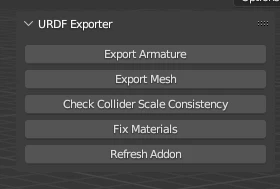
I developed a custom Blender addon that brought the entire validation and export pipeline into a unified interface:
- One-click conversion: Integrated existing Python scripts directly into Blender's sidebar, eliminating terminal context-switching
- Automatic error correction: Detected and fixed collider scale inconsistencies, material path errors, and joint configuration issues before export
- Validation feedback: Real-time visual feedback on joint limits, collision geometry, and articulation correctness
- Batch processing: Queue multiple assets for sequential processing with error logging
Impact
This tool reduced the articulated asset workflow from 15+ manual steps to a two-button operation - validate, then export. It became the standard tool for processing articulated assets across the HSSD-Hab dataset.
Pipeline Engineering: Rigid Asset QA
With over 18,000 rigid objects (non-articulated props and furniture), manual processing simply wasn't an option. Each asset consisted of multiple file components that needed to be loaded, validated, and cross-referenced - a process that took 10 minutes per asset manually.
The Challenge: Multi-Component Asset Management
Every rigid asset required loading and validating:
- Visual mesh: High-poly render geometry
- Collision mesh: Low-poly physics proxy (must match visual mesh bounds)
- Receptacle mesh: Defines surfaces where other objects can be placed
- Metadata: Category, size, material properties, semantic tags
These components lived in different directories with specific naming conventions. Loading them required navigating file trees, cross-referencing spreadsheets, and manually verifying alignment. At 10 minutes per asset, processing 18,000 objects would take 3,000 hours.
The Solution: Automated Import & Validation
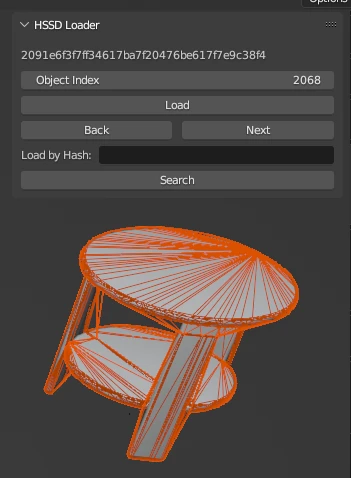
I built a Blender addon that automated the entire workflow:
- Smart file search: Automatically located all components for a given asset ID using naming convention rules
- One-click import: Loaded visual mesh, collision proxy, and receptacle geometry simultaneously with correct hierarchy
- Automatic validation: Checked for missing components, scale mismatches, and geometry errors
- Batch processing mode: Queue assets from spreadsheets for sequential validation
- Error reporting: Generated logs of validation failures with specific fix recommendations
Impact
This system reduced iteration time per asset from 10 minutes to 5 minutes - a 50% speedup that saved approximately 1,500 hours of manual work across the full dataset. More importantly, it eliminated human error in file loading and ensured consistent validation across all 18,000 assets.
Scene Engineering: Region Annotation System
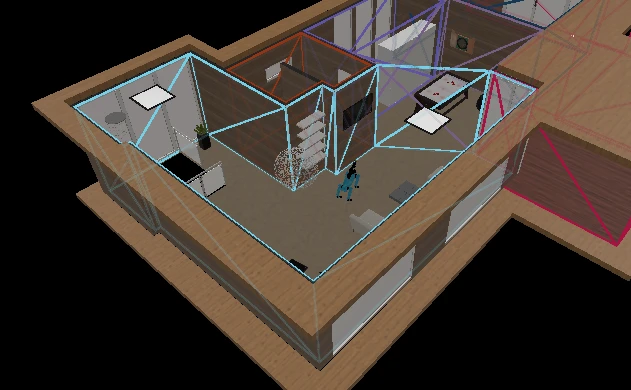
For AI agents to understand "bring me the cup from the kitchen," they need to know where the kitchen is. This requires precise spatial annotations defining room boundaries, functional zones, and semantic regions within each scene.
The Design: N-Gon Mesh Perimeters
I designed a Blender-based annotation system that used single n-gon meshes to define region boundaries. This approach offered several advantages:
- Geometric simplicity: Each region is a single face, making vertex extraction trivial
- Visual clarity: A solidify modifier provided height visualization for 3D region volumes
- Naming convention: Aligned with our semantic lexicon (e.g., "kitchen", "living_room_seating_area")
- Easy export: Python scripts extracted vertex coordinates directly from mesh data
Adoption & Scale
This system was adopted as the standard workflow for scene annotation. Designers used it to annotate 211 scenes, creating structured spatial data that enables AI agents to reason about room layouts, navigate to specific locations, and understand spatial relationships.
Why This Matters
Without region annotations, task specifications like "set the table" or "clean the kitchen" would be impossible to ground in 3D space. These annotations provide the semantic-spatial bridge that lets natural language instructions map to physical locations in simulation.
Visual Quality: PBR Texture Upgrade
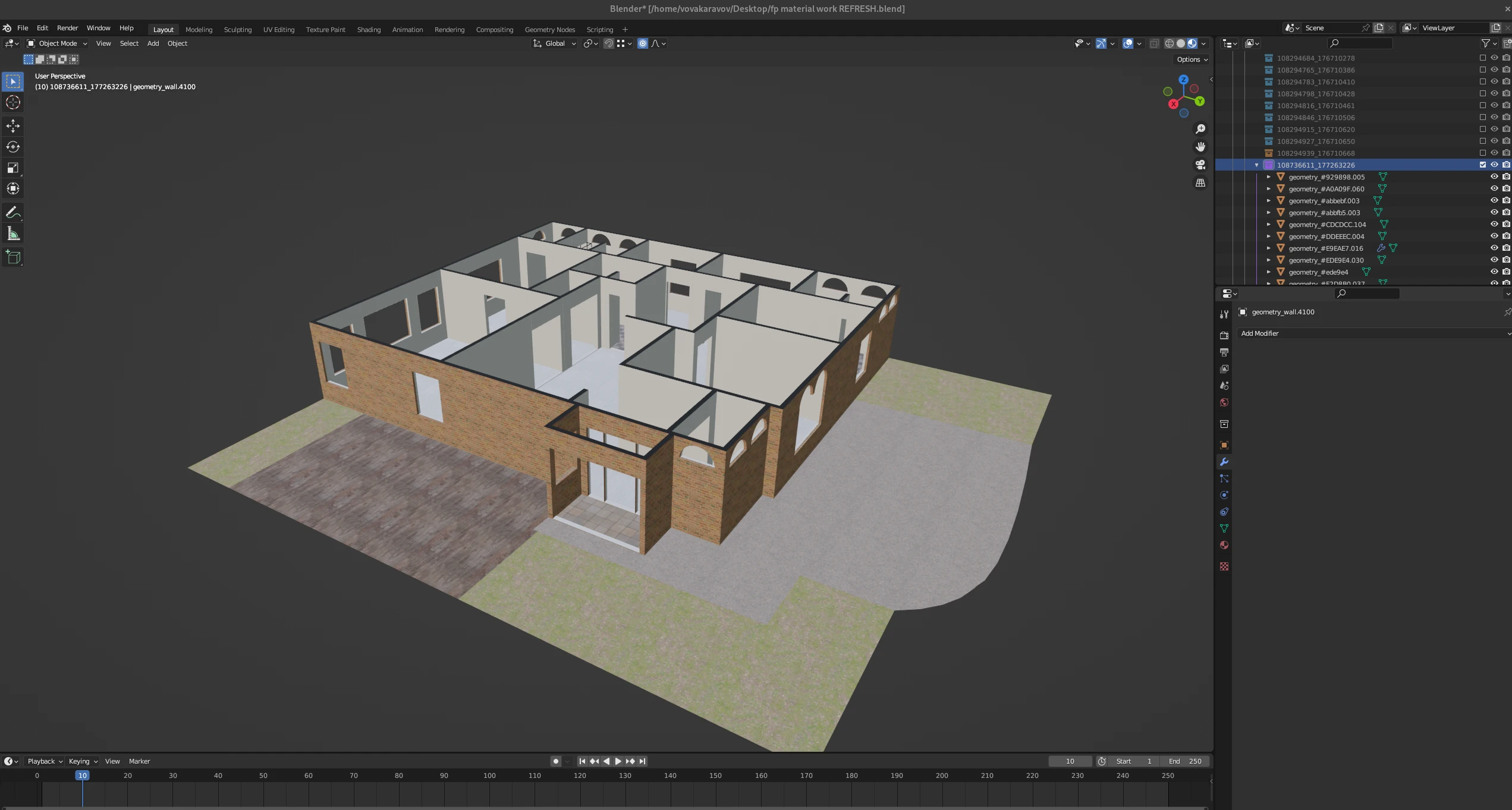
When Habitat 3.0 upgraded to a modern renderer with physically-based rendering (PBR), the existing albedo-only materials looked flat and unrealistic. To take advantage of the new rendering capabilities, all 211 scenes needed PBR texture upgrades.
What is PBR?
Physically-Based Rendering uses multiple texture maps to simulate realistic material properties:
- Albedo (Base Color): The surface color without lighting
- Roughness: How smooth or rough the surface appears
- Metallic: Whether the material behaves like metal or dielectric
- Normal: Surface detail without adding geometry
Together, these maps create materials that respond realistically to lighting - critical for AI vision systems that need to generalize from simulation to real-world environments.
The Challenge: 211 Scenes
Upgrading materials manually would require opening each scene, replacing textures, verifying shader setup, and re-exporting. With 211 scenes, this was another candidate for automation.
The Solution: Automated Material Deployment
I developed a Python script that:
- Batch-processed all scenes to replace albedo-only materials with full PBR setups
- Automatically mapped texture channels (albedo → base color, roughness → roughness, etc.)
- Validated material consistency across scenes
- Generated export-ready assets with correct shader configurations
Impact
This upgrade significantly improved visual realism across all environments, enhancing both the quality of AI training data and the visual fidelity of research demonstrations. Automating the deployment process reduced what would have been weeks of manual work to a single batch operation.
QA Infrastructure: Tracking 18,000+ Assets
Maintaining quality across 18,000 assets requires more than good tools - it requires systematic tracking. I helped build QA infrastructure using Google Sheets and Python automation to monitor asset progress and catch errors early.
The System
- Progress tracking spreadsheets: Each asset had status flags for visual mesh, collision mesh, receptacles, validation, and export
- Automated status updates: Python scripts scanned directories and updated spreadsheets with current asset status
- Error flagging: Automatically detected missing components, validation failures, and mismatched file versions
- Batch data processing: Scripts to update metadata, fix naming inconsistencies, and propagate changes across the dataset
Why This Matters
At this scale, lost files, naming inconsistencies, or missed validation steps can silently corrupt the dataset. Systematic tracking ensured that every asset went through the full pipeline and that errors were caught before propagating to downstream research.
Impact & Reflection
My work at Meta FAIR Labs sat at the intersection of 3D asset production, pipeline engineering, and AI research infrastructure. The tools and systems I built didn't just make my own work faster - they enabled an entire team to scale dataset production to research-grade quality.
Quantitative Impact
- 18,000+ assets processed and validated
- 211 scenes annotated and upgraded
- 50% reduction in rigid asset iteration time (10min → 5min)
- ~85% reduction in articulated asset workflow steps (15+ steps → 2 buttons)
- 100,000 benchmark tasks made possible by the dataset foundation
What I Learned
Working at the scale of cutting-edge AI research taught me that good infrastructure is invisible. The best pipeline tools don't announce themselves - they simply make the impossible possible and the tedious automatic. When researchers can focus on algorithms instead of asset wrangling, that's when the infrastructure has succeeded.
I also learned the value of ruthless automation. At 18,000 assets, every manual step is a potential failure point. Automation isn't just about speed - it's about consistency, reproducibility, and maintaining quality at scale.